
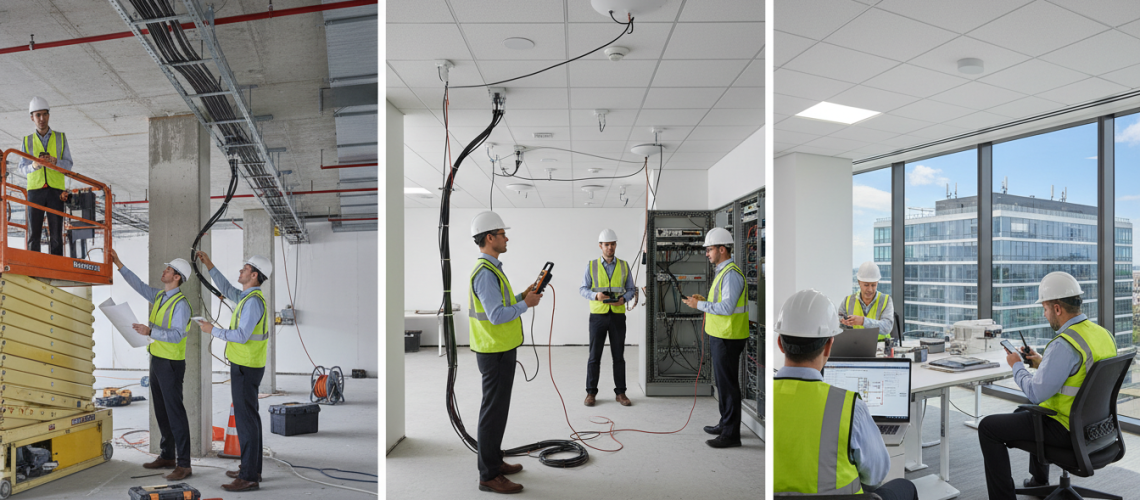
Imagine you are in a crowded office and a client call drops during a crucial pitch. You freeze, your team looks up, and the room goes quiet.
That happened to Marla, a facilities manager in Chicago. She watched sales stall until she brought in pros to fit a reliable in‑building cellular system. Within days, calls stayed live and emergency alerts behaved as expected.
Your goal is clear: steady coverage and a network that supports daily work and safety. A careful approach helps you avoid delays and costly rework when dealing with concrete, steel, or reflective glass.
We will walk you through what matters most: the survey, gear placement, signal tuning, and final checks. Expect straightforward guidance so you can align stakeholders and meet performance goals.
Key Takeaways
- Reliable signal is essential for operations and safety.
- A proper survey prevents surprises and saves time.
- Material choices in your structure affect coverage.
- Clear expectations help stakeholders approve outcomes.
- Final tuning ensures the network meets performance goals.
Understanding the Role of Distributed Antenna Systems
Picture a hospital wing where staff can’t reach radios during a sudden emergency. A distributed antenna system fixes that gap by bringing outdoor cellular and radio signals inside the structure. You get steady coverage and clearer calls where standard reception fails.
Passive vs Active Systems
Passive systems move analog signals over coax cables. They work well in smaller areas and are simpler to deploy.
Active setups use digital signals over fiber or ethernet. They cover longer distances, span many floors, and let you use remote management tools to watch signal strength across the network.
Identifying Dead Zones
Dead zones often hide in stairwells, basements, and deep interior rooms. Materials like concrete, steel, and low-emissivity glass block signals and reduce strength.
- A distributed antenna boosts weak signals so businesses and emergency teams stay connected.
- Dedicated antenna system segments can support public safety radios alongside commercial carriers.
- Early mapping of zones and cable routes reduces surprises and long-term challenges.
Initial Site Assessment and Needs Analysis
A careful visual survey reveals how a building’s structure will help or hinder cellular coverage. During your walkthrough, note materials like low-e glass and steel that reflect or absorb the signal. Keep observations brief and focused on areas where people work and gather.
Engineers then define the coverage needs of your business so the distributed antenna system is sized correctly. Analyze the current network to set performance benchmarks that guide system design and planning.
Engage stakeholders early to capture operational needs and public safety requirements. Accurate data collection prevents costly rework and keeps the project within budget and timeline.
- Walk every floor and mark signal weak points.
- Document layout and cable routes during the survey.
- Agree on performance targets that match daily use and emergencies.
Conducting RF Surveys and Signal Testing
A detailed RF scan reveals where signals fail and where interference hides.
Engineers use tools like iBwave and Ekahau to run precise surveys. These tools create heatmaps that show real signal strength across the floor plan.
Mapping signal interference is critical. You want to spot conflicts with Wi‑Fi and other wireless gear so your distributed antenna and system design avoid creating new issues.
The test data becomes your benchmark. Measure strength in known dead zones and in crowded areas to validate coverage and performance.
- Survey results generate heatmaps that guide antenna placement and cable runs.
- Signal testing verifies the design will meet carrier requirements and network goals.
- Collected data supports carrier coordination and final performance validation.
The DAS Installation Process Step by Step for Commercial Buildings
Coordinating crews, carriers, and riser access early keeps schedules tight and surprises rare.
Planning for Future Scalability
Design with growth in mind. Size conduit, leave spare ports, and choose headend space that can host new radio units or 5G remote radios.
Use a distributed antenna system layout that allows adding antennas and sectors without major rework.
Managing Stakeholder Expectations
Keep IT, facilities, and security aligned on timelines, access windows, and carrier approvals. Name a single point of contact for quick decisions.
Share a simple schedule and a risk list. That reduces conflicts when equipment or riser access is needed.
Safety Compliance Standards
Follow FCC rules, NFPA codes, and local permit requirements. Document grounding, firestopping, and cable pathways so inspections pass without delays.
| Area | What to plan | Why it matters |
|---|---|---|
| Planning | Conduit, spare ports, headend space | Supports future upgrades and reduces downtime |
| Compliance | Grounding, firestopping, carrier approvals | Ensures safety and regulatory acceptance |
| Documentation | As‑built drawings, test data, maintenance logs | Makes future service and upgrades efficient |
Quick reminder: a clean cable riser, documented test data, and carrier‑approved source gear keep the signal and coverage reliable. Address ceiling constraints early to avoid costly changes later.
System Design and Engineering Requirements
A thoughtful engineering plan converts measurements into a resilient antenna layout and gear list. Your team will use survey data to map where coverage and signal strength must meet targets.
Start with a clear distributed antenna system blueprint that shows headend locations, cable routes, and antenna types. Engineers pick amplifiers, splitters, and other equipment to keep signal levels steady across the building.
Good design balances tech and needs. That means seating capacity, peak load, and emergency coverage guide antenna placement. It also keeps the network from interfering with existing wireless gear.
| Design Area | Requirement | Why it matters |
|---|---|---|
| Headend & Power | Space, ventilation, grounding | Protects equipment and ensures uptime |
| Antenna Layout | Height, tilt, spacing | Minimizes signal loss and shadowing |
| Equipment Selection | Amplifiers, splitters, RRUs | Maintains consistent coverage under load |
| Integration | Coordination with Wi‑Fi and BMS | Prevents interference and eases maintenance |
Finally, future‑proof the das system so upgrades don’t require full replacement. That approach preserves performance and meets your long‑term needs.
Navigating Permitting and Carrier Coordination
Permits and carrier approvals often set the true timeline for any in‑building radio project.
The right paperwork and early contact with local authorities keep your work on track and safe.
Key codes include NFPA 72 and IFC 510, which define emergency radio coverage and occupancy requirements.
Carriers such as T‑Mobile, AT&T, and Verizon must review and approve your design so the system ties into their network correctly.
“Successful projects start with AHJ engagement and carrier coordination before gear arrives.”
- Submit detailed drawings to prove compliance with safety and performance standards.
- Engage AHJs early to avoid costly delays or rework after hardware is installed.
- Use a professional antenna team to manage permits, carrier approvals, and inspections.
Plan integration with carriers up front and you’ll reduce activation delays and ensure emergency communications work when they must.
Hardware Procurement and Staging
Smart procurement reduces surprises on site and keeps crews working. Start by matching antennas, cabling, and amplifiers to the approved system design so parts fit and perform.
Staging equipment offsite saves time. Label each rack, conduit run, and cable spool. Pre-configure remote radios and signal sources to carrier specs so activation moves quickly.
Coordinate deliveries with the construction schedule. That avoids storage clashes and keeps handoffs smooth when technicians need access.
Quality matters. Use proven components to protect the network under heavy use. Proper staging of the infrastructure lets crews focus on the physical work and reduces errors.
“A well-staged inventory turns a long day into a clean deployment.”
| Item | Pre-check | Why it matters |
|---|---|---|
| Antenna & mounts | Compatibility, gain, and polarity | Ensures coverage targets and reduces rework |
| Amplifiers & RRUs | Power ratings and carrier config | Maintains signal levels and carrier approval |
| Cable & connectors | Lengths, loss specs, and labels | Speeds installation and avoids mismatches |
| Headend gear | Source alignment and data settings | Enables fast system turn-up and testing |
Physical Installation and Cabling Best Practices
Mount points and cable paths set the tone for consistent coverage across floors. Keep work orderly and follow the RF plan so each antenna serves its intended zone.
Cable routing and antenna placement demand skilled technicians who mount each antenna to plan specs. Place antennas where people use their phones and radios most.
Run fiber or coax with gentle curves and avoid sharp bends to limit loss. Label runs and keep separation from electrical lines to avoid interference.
The head-end must sit in a secure, climate-controlled room. That protects equipment and improves long-term performance of the whole network.
Cabling, tools, and safety
- Use proper termination tools and torque specs for connectors.
- Follow grounding and firestopping rules to meet compliance and safety.
- Plan cable trays to keep infrastructure organized and accessible.
| Focus | Best practice | Benefit |
|---|---|---|
| Antenna mounts | Align to RF plan; use vibration-safe hardware | Uniform signal and fewer retunes |
| Cabling | Minimal bends; labeled runs; separate from mains | Lower loss and easier troubleshooting |
| Head-end | Controlled climate; secure racks; documented power | Longer equipment life and stable performance |
“Careful routing and correct tools remove most dead zones before testing.”
System Integration and Final Commissioning
Final checks tie design intent to real-world performance. During commissioning, you confirm the distributed antenna design gives the coverage and signal strength the survey predicted.
Calibrate with care. Technicians use PIM analyzers and spectrum tools to tune antennas and reduce interference. They also verify hardware links to the signal source and confirm the das system meets carrier requirements and safety standards.
Next, run a post-installation survey to compare actual results to the design. Integrate the antenna system with your building management and monitoring platform so you can watch performance and speed troubleshooting.
- Verification of equipment wiring and source alignment.
- Testing against carrier specs and compliance standards.
- Documentation of as-built diagrams and test data for future maintenance.
“A clean turn-up and clear records make future upgrades far simpler.”
When commissioning is complete, your network supports occupants and emergency services with reliable coverage and documented performance you can trust.
Conclusion
Smart design, clear coordination, and thorough testing close the loop between intent and real performance.
In short, a professional distributed antenna system combines planning, technical skill, and strict compliance to deliver steady coverage. Good das installation reduces risks, keeps carriers aligned, and prevents costly delays.
Use clear management and documented testing to verify antennas and links meet your needs. That focus protects safety and long‑term performance for your building and business.
Investing in quality gear and rigorous checks gives employees and visitors reliable service and peace of mind as you scale networks over time.
FAQ
What is a distributed antenna system and why might you need one?
A distributed antenna system boosts cellular and data coverage inside large structures where signals from outdoor towers struggle to reach. If your venue has dead zones, unreliable voice calls, or slow mobile data, a DAS helps fill gaps and improves user experience for employees, customers, and first responders.
How do passive and active systems differ?
Passive systems use cables and splitters to distribute one signal source without amplifying it, making them simpler and lower cost for smaller sites. Active systems use powered equipment and remote units to amplify and manage multiple bands and carriers, which is better for large or complex footprints that need robust, scalable coverage.
How do you identify dead zones in my building?
You run an RF survey with spectrum analyzers and drive-test tools while testing different carrier signals. That maps weak areas, interference sources, and traffic patterns so you know where to place antennas and boosters. Surveys also guide capacity planning for peak usage.
What does an initial site assessment include?
The assessment checks building layout, materials, tenant needs, emergency systems, and existing wiring closets. You’ll evaluate traffic density, critical areas like lobbies or conference rooms, and future growth to inform design, equipment choices, and budget estimates.
What tools are used during RF surveys and testing?
Technicians use spectrum analyzers, signal scanners, calibrated receivers, and mobile testing apps. They may also deploy temporary antennas to simulate coverage. Results get documented with heat maps and channel measurements to pinpoint interference and performance gaps.
How do you map signal interference?
You collect frequency and power readings across the space, noting noise floor levels and spurious sources like nearby transmitters or electronic equipment. Then you overlay readings on floor plans to identify interference zones and plan filtering, shielding, or alternative antenna placements.
Can the system scale if my business grows?
Yes. Good designs plan for scalability by reserving headroom in headend equipment, using modular remote units, and choosing cabling routes that allow extra runs. That makes it easier to add carriers, bands, or extra antennas without major rework.
How do you manage expectations with building owners and carriers?
Clear communication and documented requirements are key. Share coverage goals, timelines, test criteria, and any carrier-specific integration steps. Regular updates, approval milestones, and joint acceptance testing help keep stakeholders aligned.
What safety and compliance standards apply?
Installations must follow local building codes, NFPA fire and emergency communications guidelines, and OSHA site-safety rules. You’ll also meet carrier and FCC rules for signal power and emissions, plus UL listings for equipment where required.
What engineering details go into the system design?
Designers calculate link budgets, antenna types, feedline losses, and power requirements. They model multi-floor coverage, account for building materials, and specify headend hardware, filters, and backup power to meet performance and redundancy targets.
How do permitting and carrier coordination work?
Permits depend on local jurisdictions and usually require drawings, structural calculations, and electrical plans. Carrier coordination involves obtaining approvals for in-building integration, frequency use, and testing windows. Early engagement with carriers speeds approvals.
What should I know about procuring hardware?
Buy from reputable vendors with warranties and support. Stage equipment in a controlled environment, verify serial numbers and firmware, and pre-configure headend units when possible. Keep spare parts for critical components to reduce downtime during deployment.
What are best practices for cabling and antenna placement?
Route cables along accessible pathways, keep lengths within spec to avoid loss, and label all terminations. Mount antennas in open areas away from large metal obstructions and coordinate placement with lighting and HVAC to minimize aesthetic and operational conflicts.
How is the system integrated and commissioned?
Integration ties the DAS to carrier interfaces and building networks. Commissioning includes acceptance testing, carrier validation, and fine-tuning power levels and antenna tilts. Deliverables usually include as-built drawings, test reports, and a maintenance plan.
What common challenges cause delays?
Delays often stem from permitting backlogs, carrier scheduling conflicts, unexpected structural issues, or supply-chain shortages for specialized equipment. Contingency planning and early procurement help reduce schedule risks.
How do you maintain long-term performance?
Regular monitoring, firmware updates, and periodic retesting keep the network healthy. Implement remote management, keep spare parts on hand, and schedule annual RF audits to catch degradations or new interference sources before they impact users.